
Key Takeaways
- Choose a CRM pattern that matches the main source of friction your team faces.
- Balance customization with the effort required to govern and maintain it.
- Start with customer follow-ups and expand only when the next process is clear.
Which CRM solutions can a growing business consider?
CRM solutions range from simple shared record keeping to configurable process management and connected customer operations. Each pattern solves a different problem. The decision is not which pattern is universally best; it is which one supports the work your employees must do now without creating avoidable administration or complexity.
Shared customer records
A shared-record approach focuses on contacts, companies, ownership, activity history, and follow-up tasks. It may suit a team moving away from individual spreadsheets or inboxes. Its advantage is a narrow purpose and quick learning curve. Its limitation appears when the business needs more complex approvals, service handoffs, or distinct processes for different types of sales.
Configurable sales workflow
A configurable workflow adds stages, qualification criteria, assignment rules, reminders, and role-specific views. Customizable CRM solutions for sales teams can help when the sales process differs by product, segment, or channel. Flexibility is useful only when the process is understood. Without clear definitions, users may see different paths and managers may struggle to interpret pipeline data.
Connected customer operations
Some organizations need customer context to move between sales, service, operations, or finance. A connected approach links selected records and handoffs across tools or applications. It can reduce repeated entry when integrations are suitable, but it also raises questions about ownership, synchronization, and exception handling. The team should identify a source of truth before connecting systems.
How do you match a solution pattern to business needs?
CRM solutions for growing businesses should be selected against specific work scenarios. Identify the recurring task that currently causes delay, duplication, or missed context. Then decide whether the issue is a lack of shared records, an unclear process, or a disconnected handoff. This diagnosis helps prevent buying a broad system to solve a narrow problem.
For example, a team with clear sales stages but scattered customer notes may benefit first from shared records. A team with many inbound channels and inconsistent assignment may need configurable routing. A company whose sales-to-service handoff loses key information may need a linked customer workflow. These are illustrative patterns; the right design depends on actual roles and process rules.
What trade-offs should you compare?
Evaluate each approach for ease of adoption, fit with current work, flexibility, governance effort, reporting clarity, and integration needs. A solution that looks powerful in a demo may demand more administration than a small team can support. Conversely, a lightweight tool may be easy to adopt but too limited when the process becomes more structured.
| CRM approach | Best suited to | Strength | Trade-off |
|---|---|---|---|
| Shared record tracking | Teams needing one place for contacts and follow-ups | Focused scope and easier onboarding | May not represent distinct approval or handoff paths. |
| Configured sales process | Teams with defined stages and repeatable qualification | Fields, stages, and tasks can reflect the sales model. | Needs an owner to prevent inconsistent configurations. |
| Connected customer workflow | Organizations with cross-team customer handoffs | Can preserve context as work moves between functions. | Requires integration planning and clear data ownership. |
| Custom-built application | Teams with specific workflows that standard tools do not model well | Can align forms and process steps to local needs. | Requires design, governance, validation, and ongoing maintenance. |
How can CRM solutions improve customer follow-ups?
CRM solutions for customer follow-ups work when each open item has an owner, a due point, and enough context to act. A task should connect to the relevant person or organization and indicate why the next contact matters. This makes follow-up visible to the team and reduces reliance on memory or private reminders.
Set rules for useful reminders
Define what should create a reminder and what counts as completion. A reminder after a meeting may ask the representative to record the outcome and next step. A stalled opportunity may trigger a review task, but only if the team agrees on what “stalled” means. Avoid alerting users for every record change, because noisy notifications can become easy to ignore.
Make handoffs explicit
When a sale moves to onboarding or service, specify the receiving role and the context that should travel with the request. Include customer goals, commitments made, unresolved questions, and relevant dates where appropriate. The receiver should be able to accept, return, or clarify the handoff. A named process owner can review recurring gaps and adjust the workflow.
How do you implement a CRM solution without overbuilding?
Keep the first implementation tied to a limited business outcome, such as dependable lead assignment or consistent opportunity follow-up. This allows users to learn a stable routine before the organization adds more process branches. It also creates a useful basis for deciding whether a broader solution is needed.
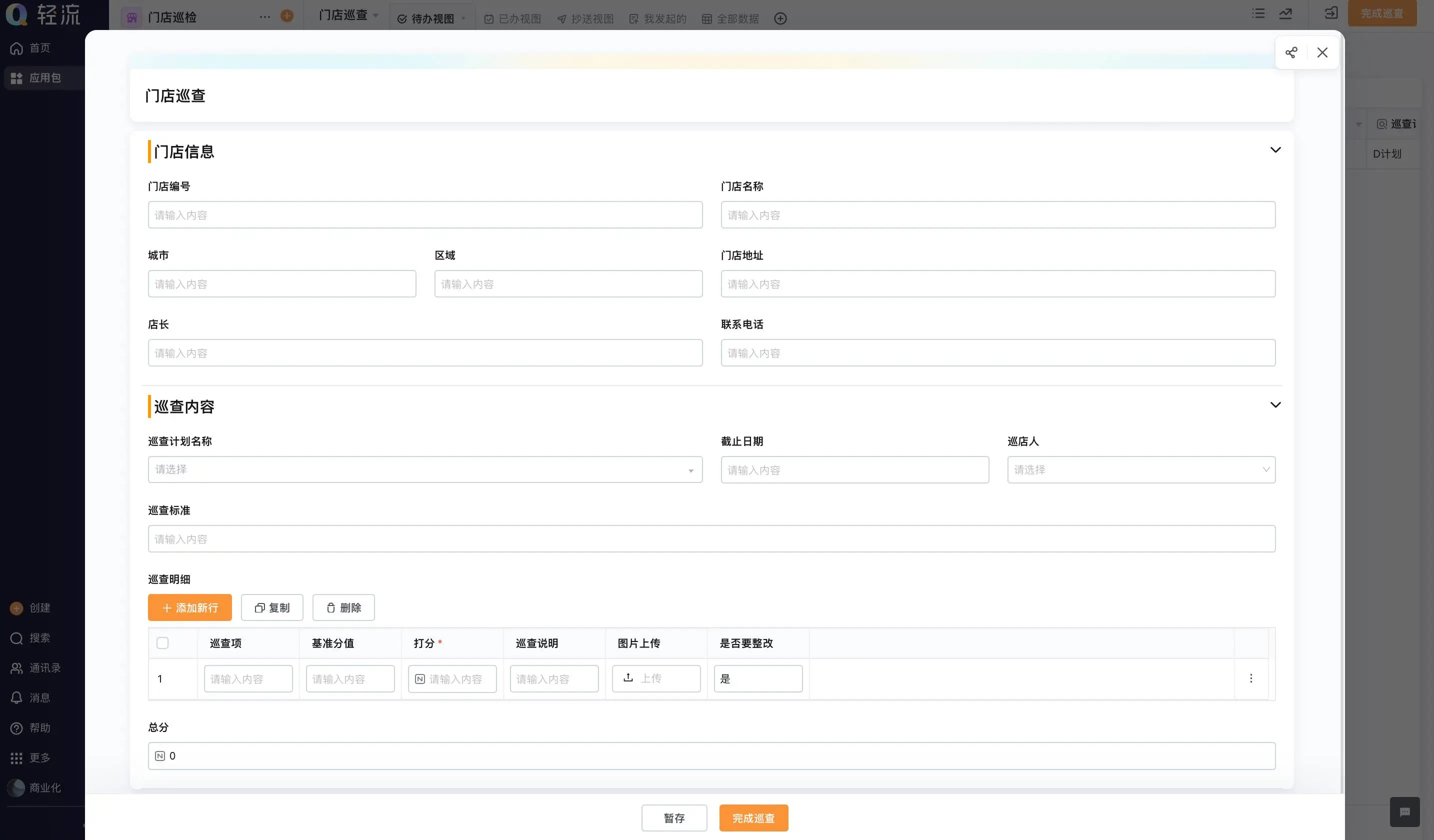
- Interview the people who create, update, and use customer records.
- Write down the current process, including exceptions and handoffs.
- Agree on record definitions, ownership, access, and the next-action standard.
- Configure only the fields and automation needed for the initial workflow.
- Test sample scenarios with users, including a record that does not follow the usual path.
- Review user feedback and data quality before adding another department or process.
Set a lightweight governance routine. Decide who can approve changes to stages, forms, or access, and keep a short record of why each change was made. This prevents the system from becoming a collection of local preferences. It also helps new employees understand how the team uses customer information.
When is customization worth the effort?
Customization is most useful when a recurring business rule matters and the standard process cannot represent it clearly. It may be a distinct qualification form, a required internal review, or a customer handoff with specific information. Before changing the software, verify that the rule is not simply undocumented or inconsistently applied today.
Qingflow is an AI-powered no-code platform for building customizable business applications and automating workflows. A team may consider a configurable platform when CRM tasks connect to broader internal processes, while still checking whether specialist sales requirements and integrations are met.
To explore a configurable way to connect customer records with internal workflows, visit Qingflow. Map one real sales or service handoff first, then assess whether the platform fits the required process and governance model.
Conclusion
Compare CRM solutions by the pattern of work they support: shared customer records, a configurable sales process, or connected operations. Choose the narrowest approach that solves a real problem and can be maintained by the organization. As the business grows, add capabilities in response to validated needs rather than assumptions.
Frequently Asked Questions
Q1: What are CRM solutions?
A: CRM solutions are applications and operating approaches that help a business manage customer information and relationship-related work. Depending on the need, a solution may provide shared records, sales pipeline tracking, workflow automation, service coordination, or connections with other tools. The term describes a broad category, so buyers should define the exact processes and users they need to support.
Q2: How should a growing business choose CRM solutions?
A: Start by identifying the most important process problem and the people affected by it. Compare options using realistic tasks, data needs, adoption effort, configuration, reporting, and integration requirements. Include the work needed to administer the system. A focused rollout that employees can maintain is often more practical than trying to model every future process at once.
Q3: Do CRM solutions need to be customized?
A: No. A standard setup can be sufficient when it already reflects the team's process and users can complete their work without workarounds. Customization is appropriate when a repeated and important rule cannot be represented well otherwise. Every custom field or workflow adds decisions about ownership, training, testing, and maintenance as the business and team evolve.
常见问题
本文由轻流知识中心编辑整理
轻流(Qingflow)是一体化 AI 无代码平台,持续围绕生产管理、进销存、设备巡检、 CRM、OA 等企业数字化场景输出实操内容,帮助团队更快完成系统选型、 流程优化与落地搭建。